Emergency SOS Requests
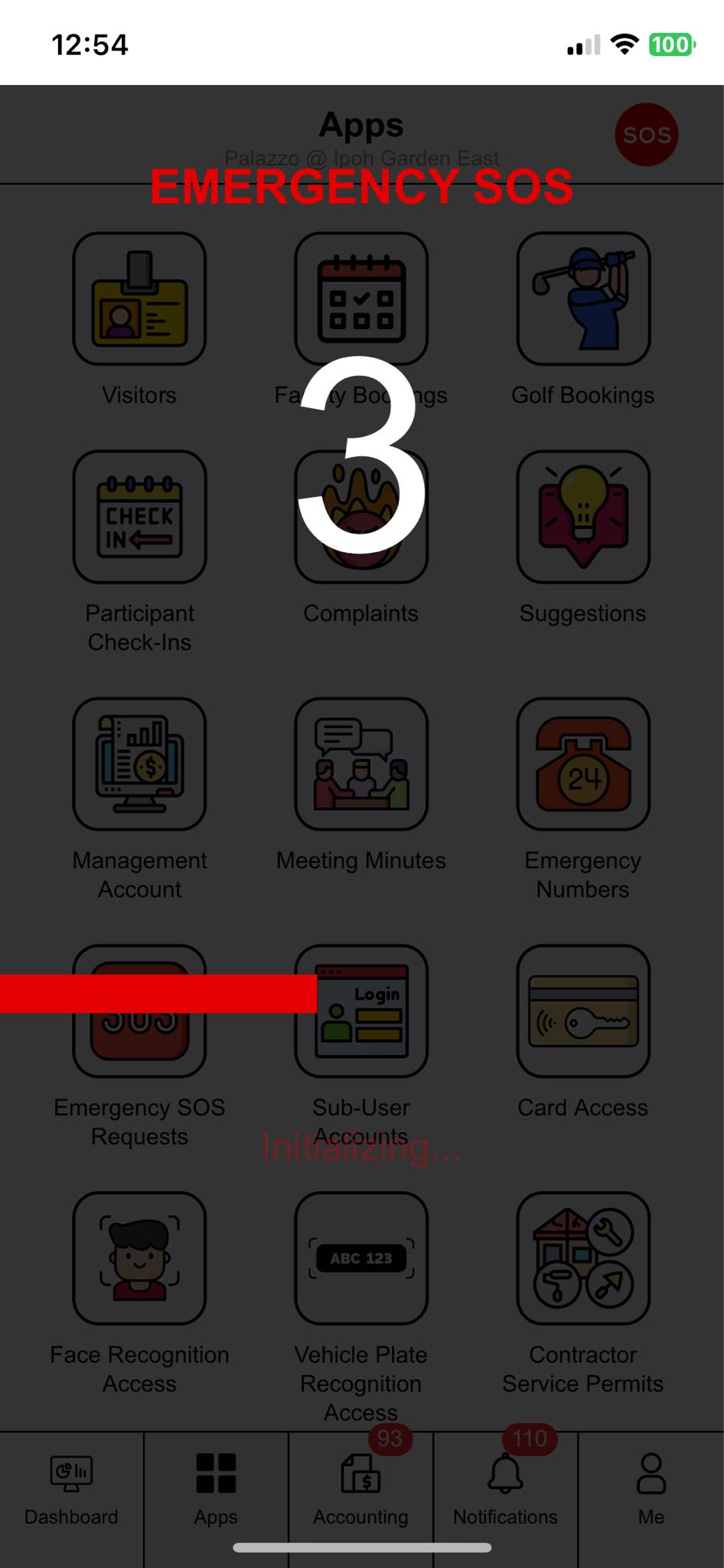
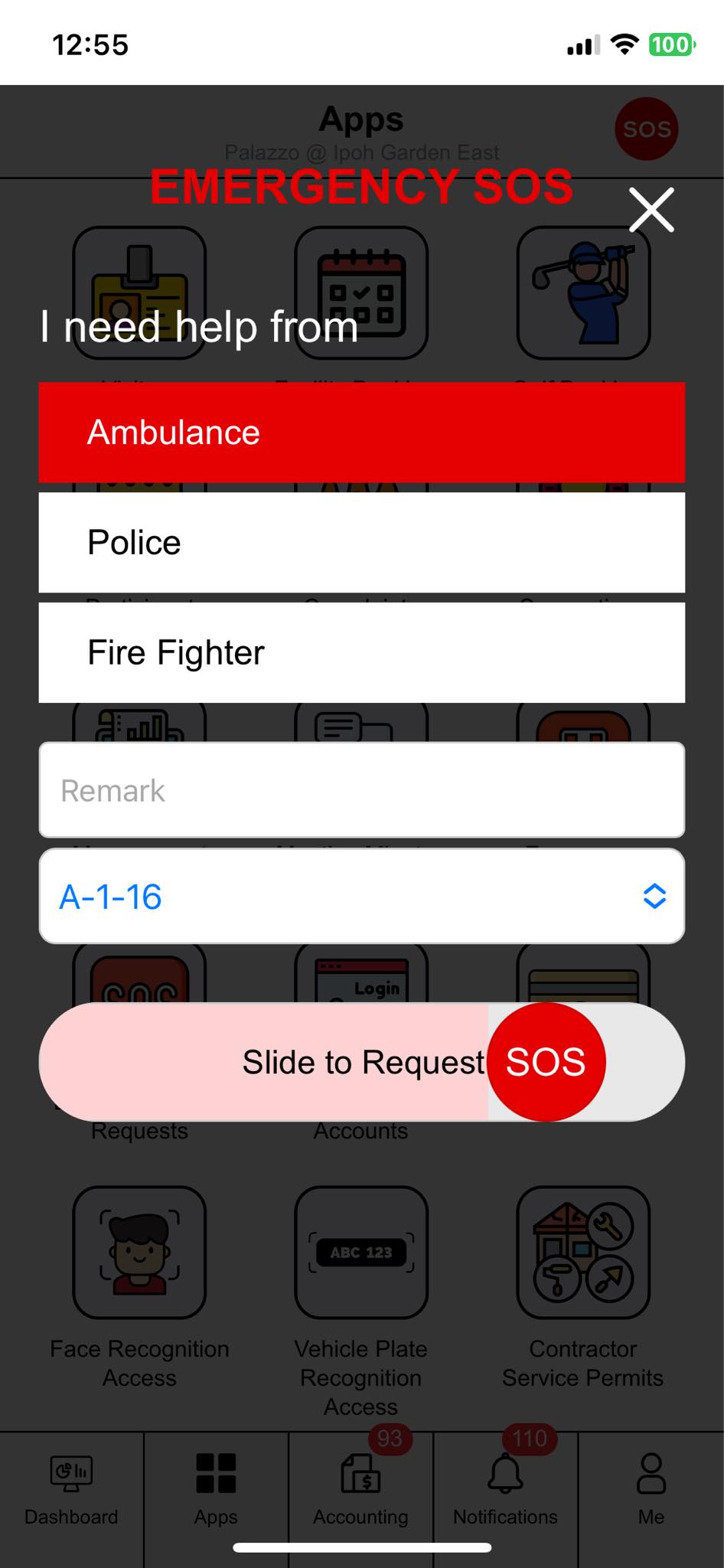
Emergency SOS Requests connects a resident in trouble to the guardhouse without either of them having to explain anything. The resident slides the SOS control, picks Security Guard, Ambulance, Police or Fire Fighter, adds a remark if they can, and a 3, 2, 1 countdown runs before the request is sent.
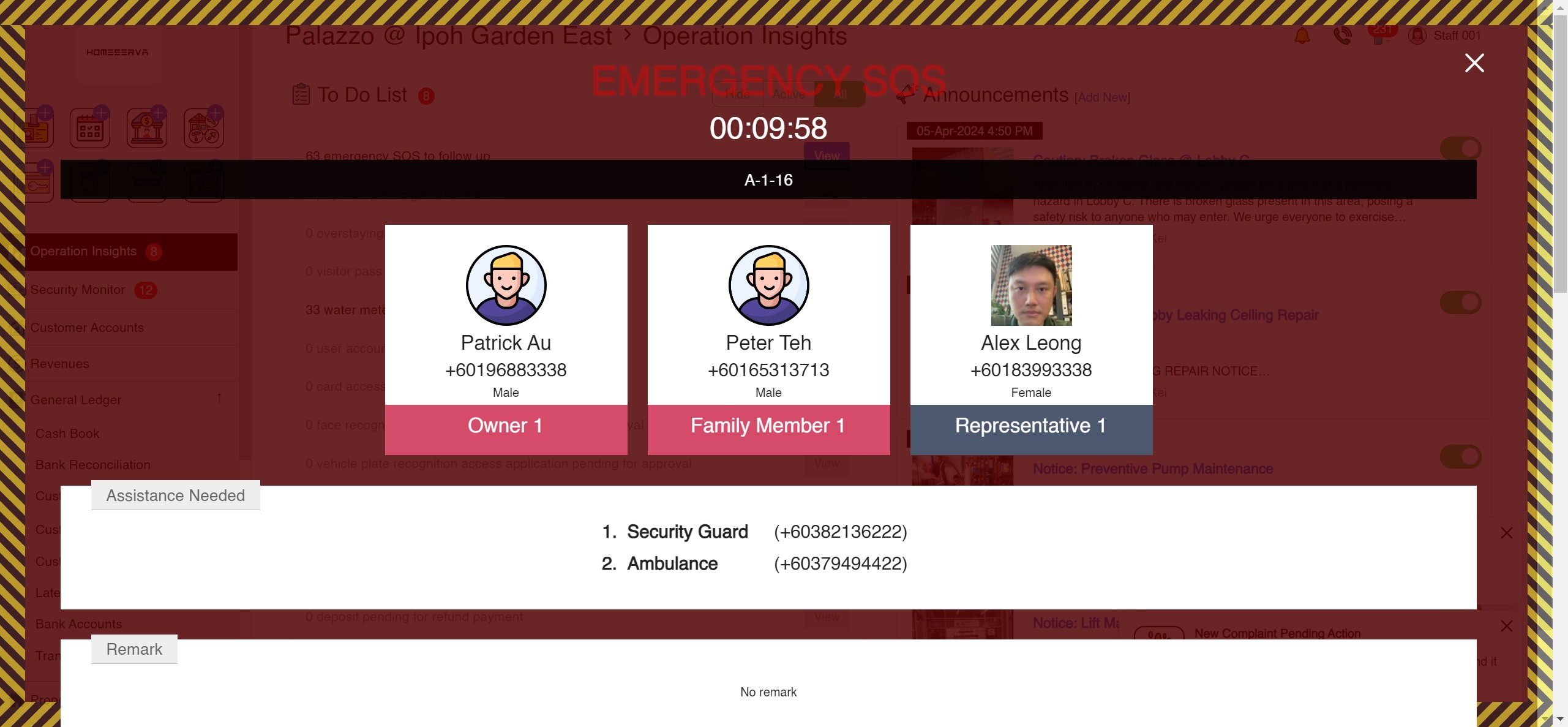
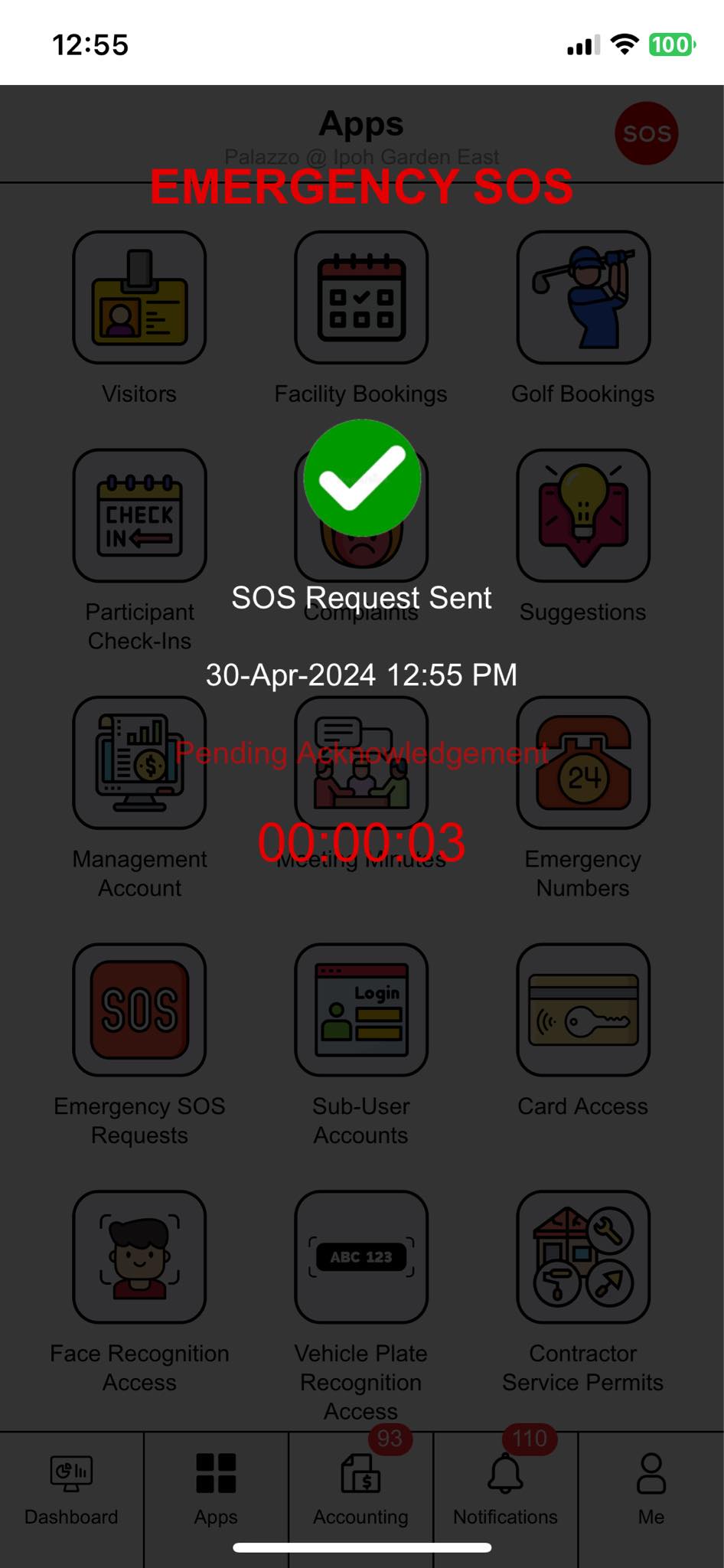
A full-screen alert then opens on every management console signed in to that property, carrying the unit, every registered occupant with their phone numbers and the primary contact flagged, the help asked for with the property's own published number for each service, the remark, and a clock counting from the second the request was sent. Any SOS siren or strobe hardware switches on at the same moment and off when an officer acknowledges. Acknowledging names the officer, stamps the second, and flips the resident's screen from Pending Acknowledgement to SOS Acknowledged. The register keeps every request under Pending Acknowledgement, Processing and Completed, and nothing is hard deleted.

Dispatch tape, duty console
0 pending acknowledgement 0 processing 14 completed today
Open on every console signed in to this property
A-12-03
00:00since send
Security Guard
No remark added.
Resident app
The app arms first, then counts 3, 2, 1, so a pocket touch never raises an alert.
Duty console
Acknowledging names the officer, stamps the exact second and stops the clock. Nothing on this register is ever hard deleted.
Emergency SOS Requests on screen
The guardhouse console and the resident app, captured from the live product.
Emergency SOS Requests at work
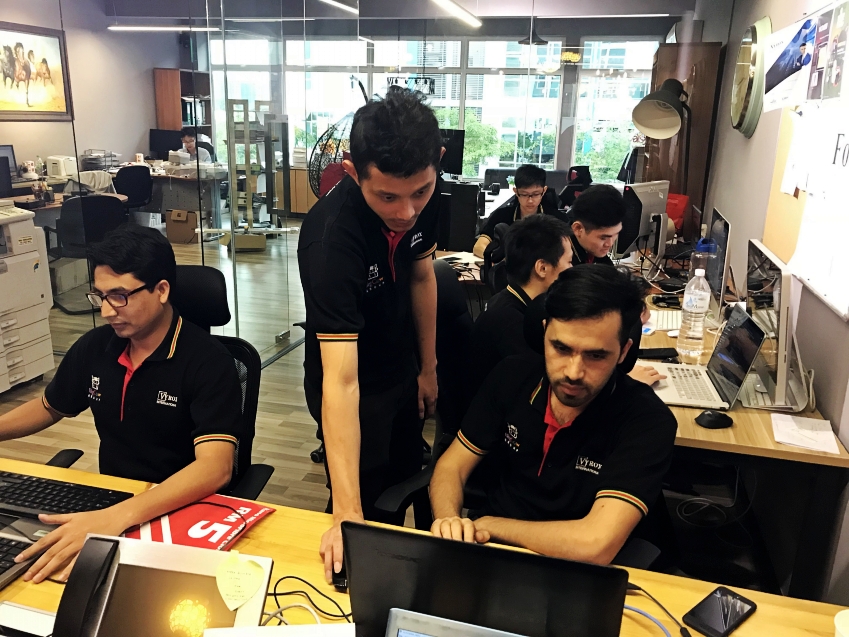
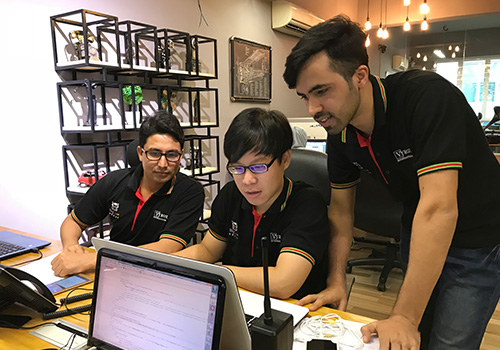
What these features look like on the ground, in a Malaysian property.


Read this before the feature list
Read the feature list below carefully, because this is a safety feature and precision matters. Response time in this module means the time from the request being sent to an officer acknowledging it on the console, and Attended at is that same stamp. There is no separate on-scene arrival record. There are no escalation timers, no automatic hand-off to a duty manager and no service standard alerts: the alert stays open until a human acknowledges it. There is no GPS location, no silent mode, no resident cancel, no photo attachment and no response time analytics. VYROX makes no guarantee about how fast anyone responds. The module raises the alert, attaches the information an officer needs, and measures the delay honestly. What happens next depends on your own staffing and procedures. Published emergency contact numbers are maintained in the separate Emergency Numbers module.
Emergency SOS Requests features
Everything included, in one place.
- Resident SOS control in the app: slide to arm, then a 3, 2, 1 countdown before the request is sent, so an accidental touch does not raise an alert
- The resident chooses one or more responder types on the request: Security Guard, Ambulance, Police or Fire Fighter
- An optional remark and the unit the request relates to are sent with it, both chosen by the resident
- Sending an SOS opens a full-screen alert on every management console signed in to that property, with a clock counting from the moment the request was sent
- The alert carries the unit and every occupant registered to it: name, photo, phone number, gender and relationship, with the primary contact flagged and the sender marked
- Each responder type selected is listed on the alert with the property own published number for that service, drawn from the Emergency Numbers module
- Any siren or strobe output device configured on the property is switched on when the request is sent and switched off when it is acknowledged
- Acknowledgement names the officer, stamps the exact second, moves the request to Processing, and changes the resident screen from Pending Acknowledgement to SOS Acknowledged
- The resident app shows a live counter while a request is unacknowledged, so the resident can see the alert is still open
- A resident cannot send a second SOS while an earlier one is still unacknowledged, which stops duplicates flooding the guardhouse
- Register with three tabs, Pending Acknowledgement, Processing and Completed, plus live counters on the console navigation
- Every request records the timestamp, property number, user, the help requested, who acknowledged it, when it was attended and the elapsed response time
- An officer completes a request from Processing, and the closing officer and time are recorded. Nothing is hard deleted from the register
- The system records which console user has already been shown which alert, so the same officer is not re-announced the same request repeatedly
- Search the register by user name, page it at your chosen record count, and export it to PDF or Excel or print it from the screen
- Switched on per property by module licensing, and visible to management staff and to residents signed in to the portal
- Please read carefully: response time here means the time from sending the request to an officer acknowledging it on the console. The system does not separately record an on-scene arrival, so Attended at and Acknowledged at are the same stamp
- VYROX makes no response time guarantee. The module raises the alert, attaches the information and measures the delay. Whether an officer answers, and how fast, depends entirely on your own staffing and procedures
- There is no escalation timer, no automatic hand-off to a duty manager and no service standard breach alert. The alert simply stays open until somebody acknowledges it
- There is no GPS location, no location pin and no silent mode. A request carries the unit the resident selected, not a position
- There is no resident cancel action, no photo attachment on a request, and no automatic follow-up work order or incident report on completion
- There is no response time analytics, officer or shift performance reporting, false alarm analysis or incident report pack in this module
- Emergency numbers for the guardhouse, police, ambulance and fire and rescue are maintained in the separate Emergency Numbers module
AI IoT Industry Solutions
Six industry solutions built from these apps: facility booking, class scheduling, snooker centre, gym and fitness, RFID tracking, membership.AI-powered, IoT-connected systems built for every industry vertical.

AI IoT Facility Booking
AI-optimized scheduling with IoT occupancy sensors for courts, pools and halls

AI IoT Class Scheduling
AI-powered class scheduling with IoT capacity tracking and automated instructor assignment

AI IoT Snooker Center
IoT-automated table lighting, AI billing analytics and real-time occupancy dashboard

AI IoT Gym & Fitness
AI face recognition, IoT RFID check-in, smart billing and IoT-connected trainer scheduling

AI IoT RFID Tracking
IoT RFID sensors for real-time asset tracking, AI stock alerts and cloud-based management

AI IoT Membership
AI-powered membership tiers, IoT access integration and automated loyalty rewards