Card Access
Card Access controls who can use which lifts, doors and gates through card-based entry. Residents and tenants pick the card access type and billing cycle they need in the app, and administrators approve or reject each request before it takes effect.
Deposits can be collected on issue, and access channels are managed per user so lost or cancelled cards stop working immediately.

READY
Present a card at the reader.
Lobby A entrance | direction In | 09:41
Present a card, and the decision and the audit line are written together
Specimen unit. No door is unlocked, no card is blocked and no record is created.
Six cards off the register, each in a state you actually get: active, expired with a tenancy, wrong zone, outside its hours, reported lost, and an account long overdue.
Waiting
Pick a card. The reader decides, the door obeys, and the log line is written in the same instant.
| Time | Access point | Card | Holder | Result and reason |
|---|---|---|---|---|
| Nothing tapped yet. | ||||
Every line here exports to PDF, Excel or CSV, refusals included.
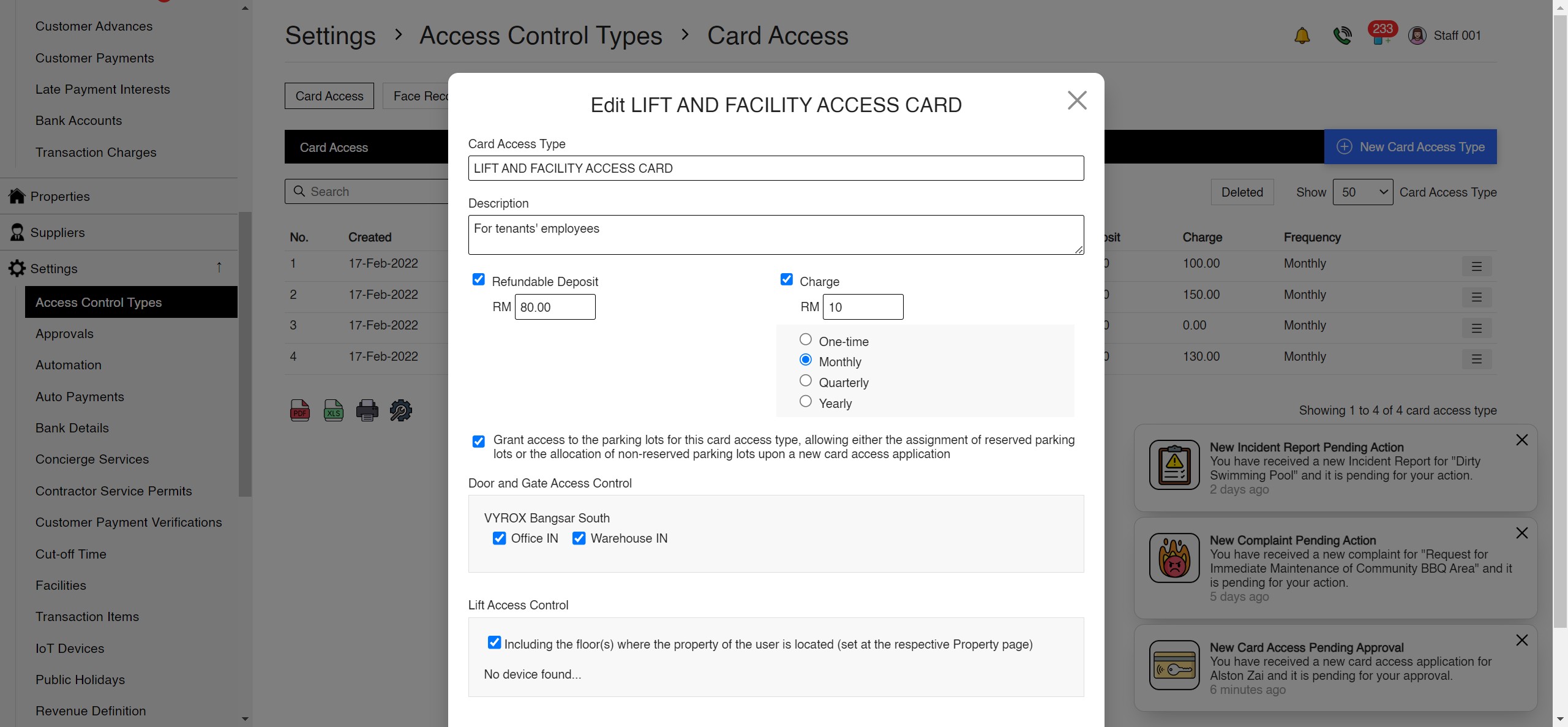
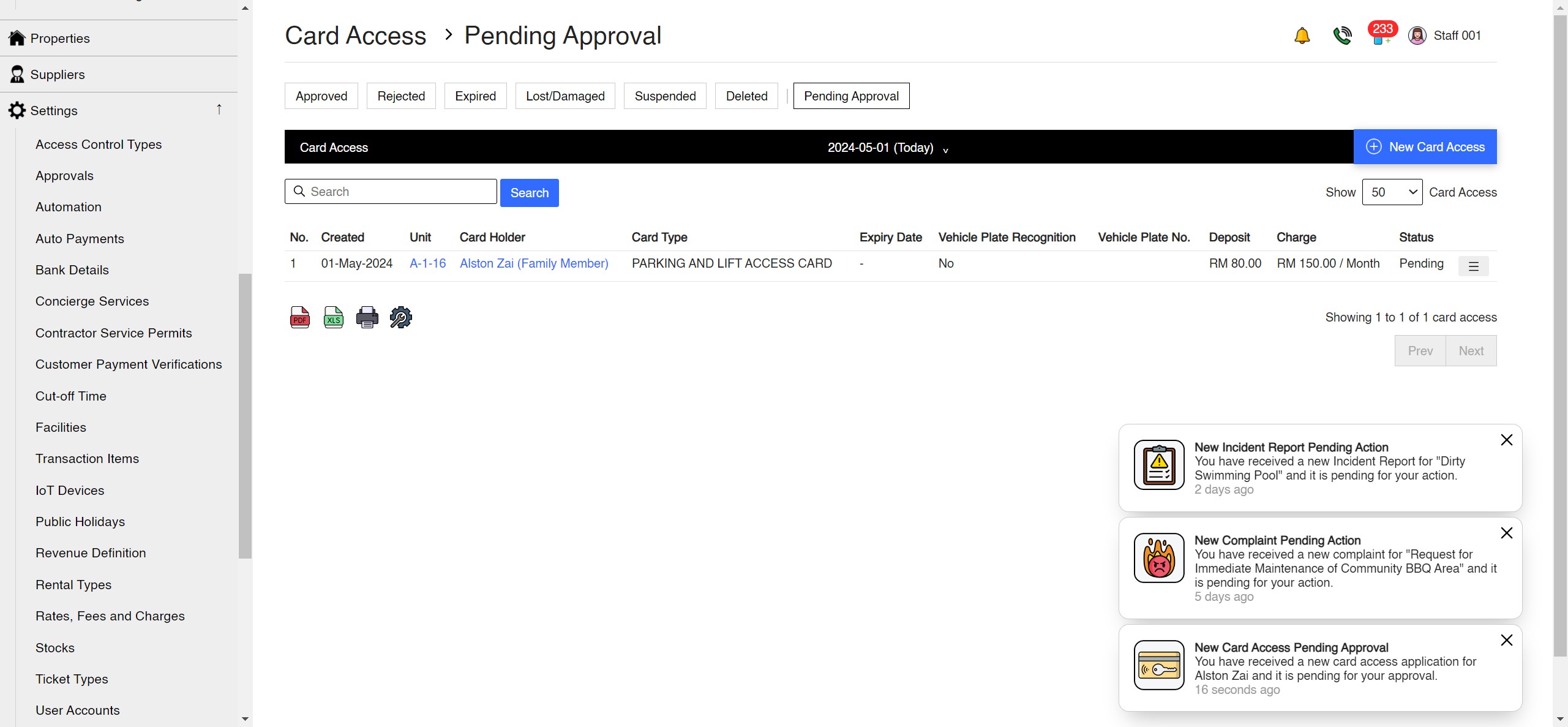
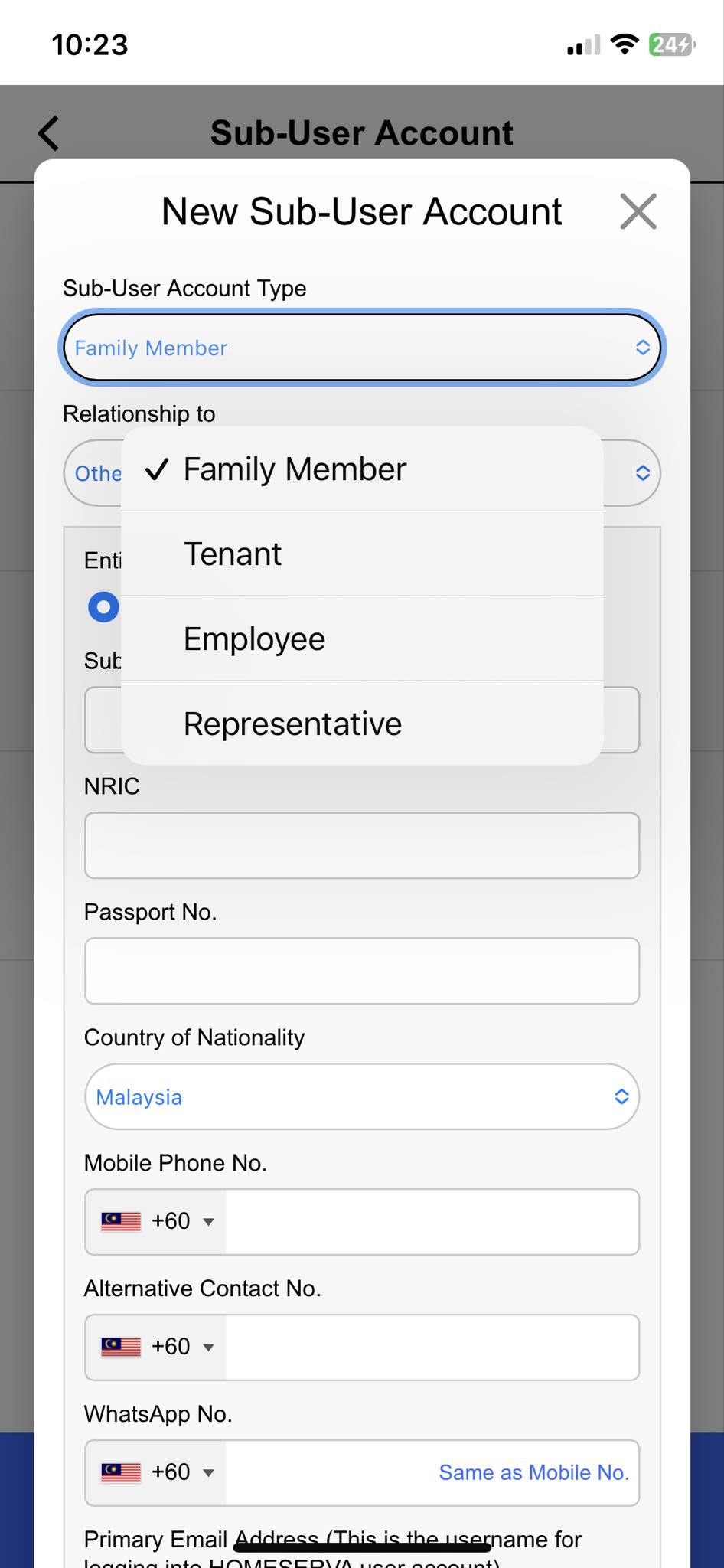
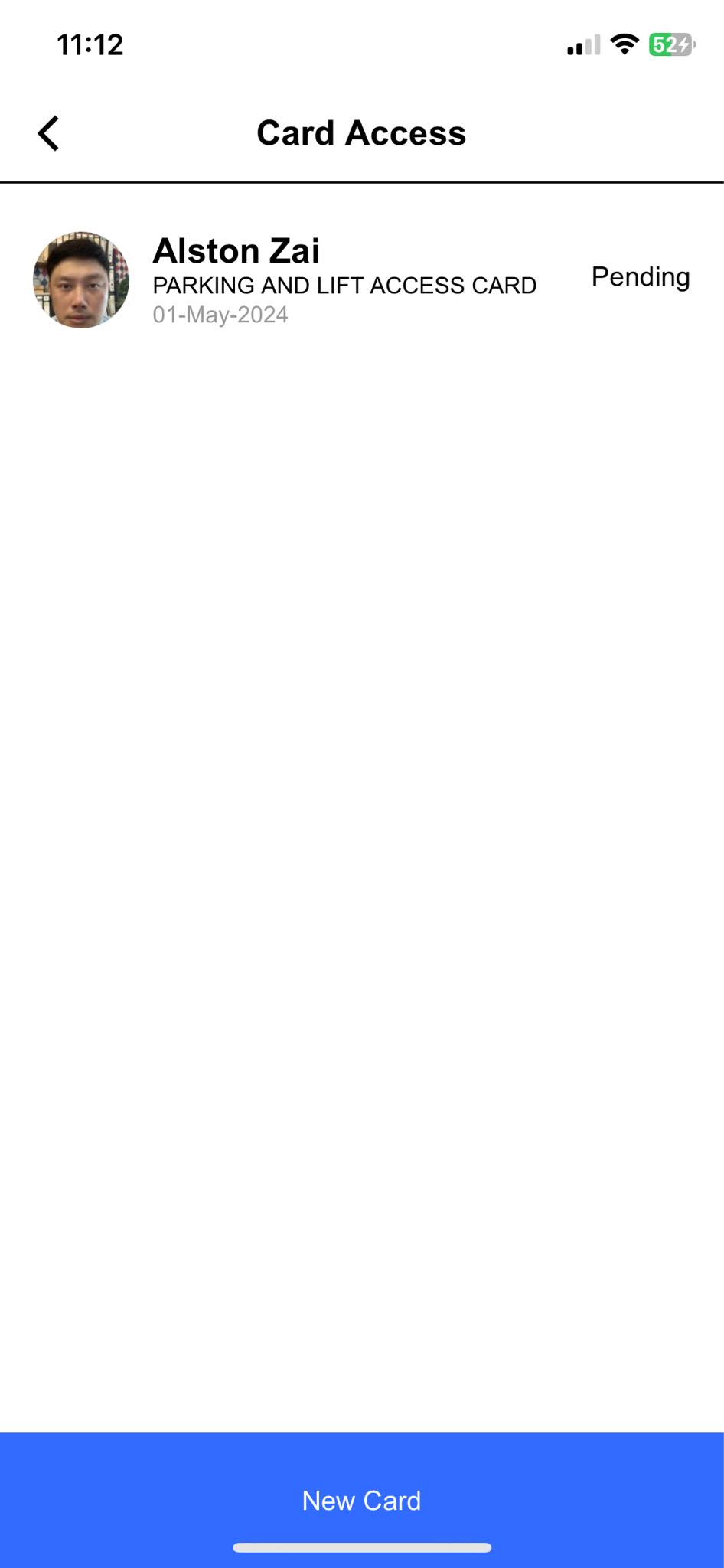
Card Access on screen
The management console and the resident app, captured from the live product.
Tutorial videos
Walkthroughs of the card access workflow, in English and Chinese.
Smart Apps > Card Access at work
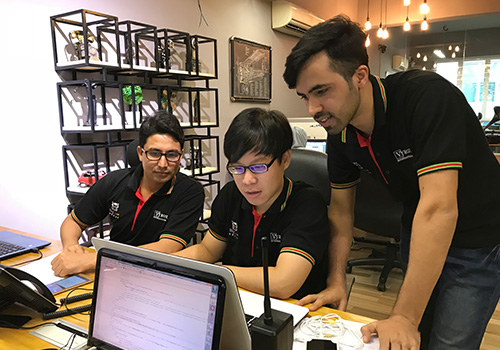
What these features look like on the ground, in a Malaysian property.


Card Access features
Everything included, in one place.
- Customize card access types
- Enable user deposits for access
- Flexible billing cycles
- Control access to lifts, doors, gates
- Apply for access via the app
- Admin approval/rejection
- Convenient access for users
- Configurable card access types with their own deposit, charge and billing frequency
- Per-type tick lists for SuperPASS-Door, SuperPASS-Lift and UltraPASS-Vehicle access points
- Card types linked to a reserved or floating parking lot, keeping card and bay with the same holder
- Application register showing application number, property number, full legal name, card type, associated vehicle plate, valid from and expiry datetime
- Card states of Active, Pending Approval, Rejected, Expired, Suspended, Lost or Damaged and Deleted
- Instant suspension or revocation pushed to every controller within seconds
- Lost or damaged card workflow with replacement issue and deposit handling
- Automatic expiry, with tenant cards tied to the tenancy agreement end date
- Renewal that extends the expiry datetime and raises the next charge automatically
- Automatic invoicing of card deposits and charges onto the resident statement
- Refundable deposit tracking with refund, partial refund and forfeit, all posted to the ledger
- Automatic suspension of cards for accounts with long overdue maintenance fees
- Identification document upload for profile picture, NRIC, passport, visa, employment pass and work permit
- Full card tap log with access point, device, direction and reason for every refusal
- Camera snapshot stored with every tap, so you can see who actually held the card
- Card lifecycle management: Active, Pending Approval, Rejected, Expired, Lost or Damaged, Suspended, Deleted
- Export of the card register and tap logs to PDF, Excel or CSV
- Management approval privileges controlled per staff member
AI IoT Industry Solutions
Six industry solutions built from these apps: facility booking, class scheduling, snooker centre, gym and fitness, RFID tracking, membership.AI-powered, IoT-connected systems built for every industry vertical.

AI IoT Facility Booking
AI-optimized scheduling with IoT occupancy sensors for courts, pools and halls
AI IoT Class Scheduling
AI-powered class scheduling with IoT capacity tracking and automated instructor assignment

AI IoT Snooker Center
IoT-automated table lighting, AI billing analytics and real-time occupancy dashboard

AI IoT Gym & Fitness
AI face recognition, IoT RFID check-in, smart billing and IoT-connected trainer scheduling

AI IoT RFID Tracking
IoT RFID sensors for real-time asset tracking, AI stock alerts and cloud-based management

AI IoT Membership
AI-powered membership tiers, IoT access integration and automated loyalty rewards